
Bliss Guides
MagSafe vs Ring-Holder Phone Cases: What’s the Difference?
Learn the difference between MagSafe compatibility, decorative rings and physical ring holders, with real Bliss case examples and buying checks.
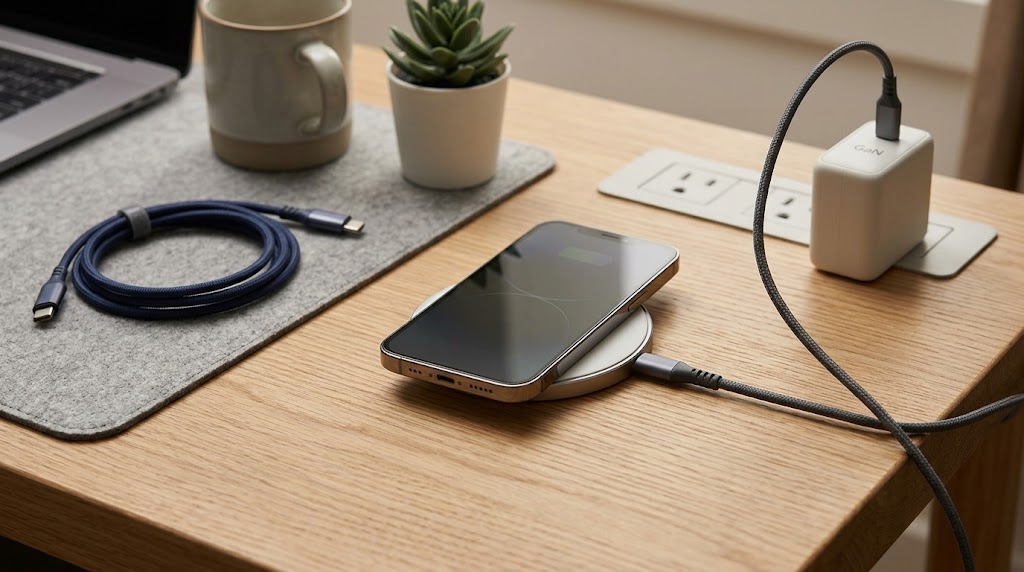
A phone case can have a circular detail, a folding handhold or magnetic charging support—and those are not automatically the same thing. If you are comparing covers in Pakistan, understanding the difference helps avoid buying a decorative ring when you actually need charging compatibility.
Quick answer: a ring holder is a physical grip or support mechanism. A MagSafe-compatible case is intended to work with the relevant magnetic accessory setup. Confirm the case, phone and accessory together; a circle in the photograph does not prove compatibility.
A decorative ring, a holder and MagSafe serve different purposes
Decorative ring detailing
A printed circle, coloured ring or metallic-looking trim may be part of the case’s appearance. Unless the product description states otherwise, it tells you nothing definite about magnets, charging or a hinge. The useful question is “What does this ring do?” rather than “Does it look like a MagSafe case?”
A physical ring holder
A holder gives you a part designed to hold or position the phone. Its shape need not be a plain circle: on some Bliss teddy cases, the bear’s face is the ring holder. Whether a particular mechanism also works as a stand depends on that product’s design; do not assume every holder locks into every viewing angle.
MagSafe compatibility
MagSafe concerns a supported magnetic accessory system. For charging, the phone, charger, power source and case all matter. Apple’s MagSafe Charger guidance describes alignment and explains that actual delivered power varies with the model, adapter and conditions. A case’s “compatible” label does not establish one universal charging speed.
Check charging and mounting separately
A magnetic mount can hold a phone without charging it. A wireless charger can supply power without being a suitable vehicle mount. Before choosing, write down the exact job you need: desk charging, a handhold, a stand, a wallet attachment or a mount. Ask the seller to confirm that job for the specific case and accessory.
Do not add an unverified metal plate or stick-on ring between the phone and a wireless charger as a shortcut. Follow both accessory manufacturers’ instructions. Apple tells users to keep the MagSafe charging surface clear of metal objects and to keep cards and similar sensitive items out from between the phone and charger. Physical attachment alone does not establish a safe charging arrangement.
If you already own a charger, share its model name with the seller. Ask whether the case has been confirmed for wireless charging, magnetic attachment, or both. If the answer is only “it has a ring”, the compatibility question remains unanswered.
What the current Bliss listings actually say
- Brown Polka-Dot Teddy Ring-Holder case: made for iPhone 17 Pro Max, with a teddy-face holder and matching charm. The listing explicitly says it does not support MagSafe.
- Yellow Polka-Dot Teddy Ring-Holder case: the same model-specific holder concept in yellow/pink; its listing also states no MagSafe support.
- Clear Blue Ring case: the listing describes ring detailing and asks shoppers to confirm charging compatibility. It should not be presented as confirmed MagSafe support based on its appearance.
- Clear Gold Camera-Guard case: Bliss confirms MagSafe and wireless charging support for this listing. Crucially, it is for iPhone 16 Pro Max, not 17 Pro Max.
These distinctions are based on the catalogue at publication. Recheck the product you are buying, particularly if its specifications or selected variant have changed. None of these examples is a claim of Apple certification or independent charging tests.
A simple way to decide
- Want a handhold? Start with a confirmed physical holder, then check how it folds, how it feels and whether it suits your usual carrying position.
- Want magnetic charging? Start with explicit compatibility for your exact phone and charging accessory. Keep unverified metal attachments out of the charging path.
- Want both? Look for a product that explicitly documents both features working together. Do not assume a fold-flat holder automatically allows wireless charging.
- Want only the look? Choose the design you like, while treating charging and mounting as separate checks.
For an iPhone 17 Pro Max, confirm the exact case fit before comparing attachment features. Our model-specific case buying checklist explains what to inspect. For a car setup, read the separate holder and charger guide; for charging problems, use the slow-charging checklist.
Frequently asked questions
Will folding the ring holder flat make the case MagSafe-compatible?
Not by itself. A flat surface does not verify the material, alignment or charging compatibility. Check the specific design rather than experimenting with an unsupported combination.
Does “magnetic” mean that a charger is included?
No. Read the included-items description. A case, magnetic attachment and powered charger are separate products unless the listing explicitly bundles them.
Can I keep my ring-holder case and charge by cable?
Check that the case opening accommodates your cable connector and that the accessory does not obstruct it. A case that lacks MagSafe support can still be a practical choice for someone who prefers an appropriate wired-charging setup.
Send Bliss your phone model, case name and charger model for a product-specific check.
Prepared with AI assistance using Apple guidance and Bliss’s published product descriptions. This guide distinguishes features; it is not a hands-on charging certification. The banner is illustrative.
Keep exploring

USB-C Headphones Not Working? Check the Adapter and DAC
Troubleshoot USB-C headphones with compatibility checks, DAC adapter guidance and simple comparisons before replacing your headset or adapter.
Read the guide
How to Remove a Tight Phone Case Without Forcing It
Learn how to approach a tight phone case, distinguish flexible and layered designs, avoid forcing the phone and recognise when to stop.
Read the guide
Privacy vs Clear Screen Protector: Which Should You Choose?
Compare privacy and clear screen protectors, viewing angles, brightness and unlocking compatibility. Use a practical checklist before buying.
Read the guide
How Many Charges Does a 10,000mAh Power Bank Give?
Understand power-bank capacity with a clear Wh calculation. Compare 10,000mAh and 20,000mAh examples, charging losses and your daily needs.
Read the guide