
Bliss Guides
Privacy vs Clear Screen Protector: Which Should You Choose?
Compare privacy and clear screen protectors, viewing angles, brightness and unlocking compatibility. Use a practical checklist before buying.
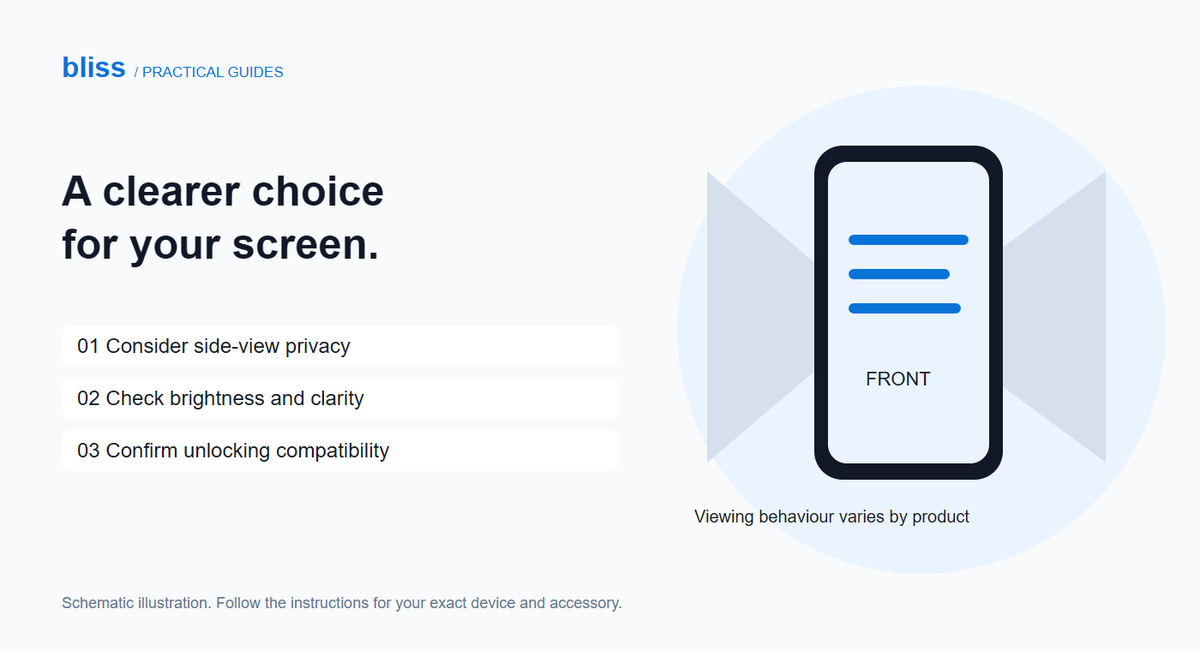
Choose a privacy screen protector if limiting side-on viewing matters more to you than easy screen sharing. Choose a clear protector if you mainly want a transparent protective layer. Before buying either, check the exact phone model, case fit and fingerprint or face-unlock compatibility. “Privacy” describes a viewing feature, not a guarantee of stronger glass.
You might want to read messages on a crowded bus without the person beside you reading along. But you might also regularly show photos to a friend. A privacy filter changes that everyday experience, so it is worth choosing around how you actually use your phone.
Privacy versus clear: what changes?
| Your priority | What to consider |
|---|---|
| Less visibility from beside you | A privacy model with a documented viewing-angle specification. |
| Showing photos to someone next to you | A clear protector, or a privacy design whose orientation behaviour suits you. |
| A familiar-looking display | Compare clarity and brightness before choosing a privacy filter. |
| Fingerprint unlocking | Explicit support for your phone’s sensor on the exact protector. |
| Drop or scratch protection | Separate evidence about the specific protector; the word “privacy” does not settle it. |
For a concrete example, Belkin’s Titan EcoGuard Privacy FAQ describes a two-way filter that narrows the viewing angle and notes that slight dimming can occur. Its biometric-support claim applies to the listed products when installed correctly. Do not transfer that claim to an unrelated protector simply because both are advertised as privacy glass.
Does a privacy protector work from every direction?
Not necessarily. Check both the viewing directions and the phone orientation covered by the specification. Belkin’s SmartShield Privacy Filter FAQ, for example, describes strongest privacy in portrait orientation and a clearer shared view when the phone is turned to landscape. That is a feature of the stated two-way design, not a universal rule for every privacy product.
Ask the seller to show the exact protector from the front and from the sides in both orientations. A dramatic photograph taken at one angle does not tell you how it behaves when you tilt the phone on your lap or place it flat on a table.
Think of it as a viewing aid, not a security system. It does not replace a passcode, careful handling of sensitive messages or sensible notification settings. Someone with a suitable direct view may still see the screen.
What should you check before buying?
- Confirm the complete phone model. Match the selected product variant, not just the picture used for a whole range.
- Check unlocking support. Ask specifically about your fingerprint sensor or face-unlock system, then follow the maker’s installation and setup advice.
- Check your current cover. Tell the seller which cover you use and ask about the protector’s edge clearance. Our lifting-edge guide covers what to do if a case presses against a protector.
- Ask about the view. Clarify portrait and landscape behaviour, any expected dimming and whether there is a demonstration you can inspect.
- Read the installation and return terms. Find out what happens if the wrong variant is supplied before removing the backing film.
Do not choose solely by the darkest-looking side-view photo. The screen also needs to remain comfortable for you to read. Likewise, do not assume two protectors have equal scratch or impact performance because both descriptions say “tempered glass”. Compare the manufacturer’s actual claims and their conditions.
Try the tasks you use every day
If you can inspect a demonstration before purchase, bring up ordinary text rather than private information. View it at your normal brightness and reading distance. Tilt the phone as you would when reading on a desk, then check a landscape video and a photo you might show someone.
After installation, check touch input and unlocking with clean hands using the manufacturer’s recommended setup. If a feature becomes unreliable, contact the installer or seller with the exact model and symptoms rather than repeatedly pressing harder on the screen.
When browsing Bliss’s Screen Protectors category, look for the stated model and features on each available listing. A category name does not mean every privacy option is stocked. If you are also changing the cover, our case materials guide helps with that separate choice.
Frequently asked questions
Is a privacy protector always stronger than a clear one?
No. Viewing privacy and physical protection are different features. Look for evidence about the exact product rather than using its privacy label as a strength rating.
Will my fingerprint reader definitely work?
No blanket promise applies to every protector. Confirm compatibility with your phone’s sensor and follow the product’s fitting instructions.
Should I remove the protector whenever I want to share a photo?
Do not repeatedly peel off an adhesive protector for sharing. Choose a viewing design that suits your routine and check whether changing orientation provides the view you want.
Source check: 3 November 2026. Prepared for Bliss with AI assistance using the manufacturer references linked above. Product examples are not claims of Bliss stock or hands-on testing. Illustration is schematic.
Keep exploring

USB-C Headphones Not Working? Check the Adapter and DAC
Troubleshoot USB-C headphones with compatibility checks, DAC adapter guidance and simple comparisons before replacing your headset or adapter.
Read the guide
How to Remove a Tight Phone Case Without Forcing It
Learn how to approach a tight phone case, distinguish flexible and layered designs, avoid forcing the phone and recognise when to stop.
Read the guide
How Many Charges Does a 10,000mAh Power Bank Give?
Understand power-bank capacity with a clear Wh calculation. Compare 10,000mAh and 20,000mAh examples, charging losses and your daily needs.
Read the guide