
Bliss Guides
Why Is My Phone Charging Slow? Charger and Cable Checks
Check the adapter, USB-C cable, charging protocol and temperature before buying a new charger. Understand GaN and wattage without the hype.
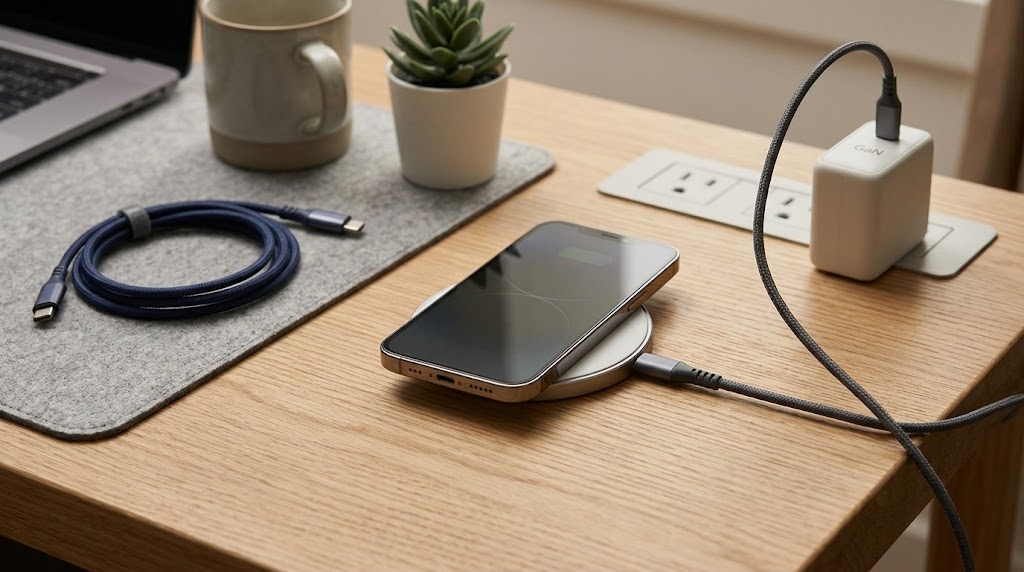
A phone charges only as fast as its supported charging system allows. The phone, adapter, cable, port, temperature and current battery level all matter. Buying a higher-wattage brick or a braided cable does not automatically solve the bottleneck.
If you are wondering why your phone is charging slowly, work through the checks below before replacing everything. A useful fast charger is a compatible charger—not simply the one with the biggest number on the box.
Start with these five charging checks
- Use a known-compatible setup. Compare the adapter and cable with the phone maker’s recommendations for your exact model.
- Inspect the accessories. Stop using a visibly damaged cable or adapter. Do not insert metal tools or liquids into a charging port; seek manufacturer-approved help if the port appears obstructed or damaged.
- Check temperature. Move the phone away from direct sunlight and let it return to normal conditions. Do not actively chill a hot phone in a fridge.
- Reduce competing use. Navigation, gaming and other demanding tasks can make a quick top-up less effective than charging while the phone is idle.
- Compare like with like. A charge near an empty battery is not a reliable prediction of the final stretch to 100%. Check whether an intentional charging limit or battery-protection setting is enabled.
Persistent charging problems can have causes beyond accessories. Samsung’s fast-charging troubleshooting guide recommends trying another compatible charger and cable and contacting support if the problem continues. Do not assume a replacement cable will fix a hardware fault.
Wattage matters—but so does USB Power Delivery
The wattage on an adapter is a capability, not a promise that every phone will receive that amount. Look for the charging protocol and output profiles supported by both devices. USB Power Delivery, often shortened to USB-PD, is one common system; some phones also require particular capabilities such as PPS for their advertised charging mode.
Recommendations also differ between models and generations. Apple’s current iPhone fast-charging guide specifies a 40W-or-higher adapter for its advertised iPhone 17, 17 Pro and 17 Pro Max wired fast-charge result, while listing different requirements for other models. Those laboratory results are not a guarantee for an untested third-party setup or every battery condition.
For Samsung phones, consult the exact model guidance rather than applying one “Super Fast Charging” rule to every Galaxy device. This Samsung charging-type guide is a useful starting point.
A braided USB-C cable is not automatically a faster data cable
Braiding describes the outer construction. Check three separate specifications: the connector at each end, the supported power capability and the data-transfer capability. A cable suitable for charging may not offer the file-transfer speed you expect.
The USB Implementers Forum’s cable guidance distinguishes power markings from data-rate markings in its certification programme. A power rating alone is not evidence of a particular transfer speed. Older and uncertified products may use different labelling, so ask for the actual specification rather than guessing from a logo or cable thickness.
For a phone-to-laptop connection, also check whether you need data transfer rather than charging only. For a laptop charger, verify the laptop’s own power requirements. A cable that works well for one phone need not support every computer or display function.
What does GaN change?
GaN refers to gallium-nitride semiconductor technology used in some adapters. It can enable compact, efficient charger designs; the actual size and performance depend on the complete design. Infineon explains those design benefits. “GaN” by itself does not prove a charger stays cool, doubles charging speed or supports your phone’s preferred protocol.
On a multi-port adapter, check the per-port output and what happens when another device is connected. A headline combined rating may be shared between ports. Buy for the combination you intend to use, not an isolated maximum.
A simple buying checklist
- Exact phone model and its recommended charging method.
- Matching adapter protocol and output profile.
- Correct cable connectors, power capability and required data speed.
- Per-port power when charging multiple devices.
- Clear seller specifications and support if compatibility is uncertain.
Explore our Chargers and Data Cables sections, or ask Bliss to check your model and accessory specifications. Availability is shown on the collection pages; this guide does not claim that all illustrated accessories are in stock.
Frequently asked questions
Will a 65W charger force 65W into my phone?
A compliant, compatible charging setup negotiates supported power; the printed maximum is not a forced delivery rate. Still, check compatibility and use undamaged accessories from a reliable source.
Does fast charging always damage the battery?
Avoid blanket claims in either direction. Follow the phone maker’s charging and temperature guidance. No accessory can promise that battery ageing will stop.
Why is wireless charging slower than my cable?
The supported charging system, adapter, alignment, case and operating conditions can differ. Check the exact wireless charger’s requirements rather than comparing headline wattages alone.
Using a magnetic mount in the car? Read our car phone holder and charger checklist.
Technical references checked on 22 October 2026. Featured image is illustrative. No charging-speed or battery-life tests were carried out by Bliss for this guide.
Keep exploring

USB-C Headphones Not Working? Check the Adapter and DAC
Troubleshoot USB-C headphones with compatibility checks, DAC adapter guidance and simple comparisons before replacing your headset or adapter.
Read the guide
How to Remove a Tight Phone Case Without Forcing It
Learn how to approach a tight phone case, distinguish flexible and layered designs, avoid forcing the phone and recognise when to stop.
Read the guide
Privacy vs Clear Screen Protector: Which Should You Choose?
Compare privacy and clear screen protectors, viewing angles, brightness and unlocking compatibility. Use a practical checklist before buying.
Read the guide
How Many Charges Does a 10,000mAh Power Bank Give?
Understand power-bank capacity with a clear Wh calculation. Compare 10,000mAh and 20,000mAh examples, charging losses and your daily needs.
Read the guide