
Bliss Guides
How to Remove a Tight Phone Case Without Forcing It
Learn how to approach a tight phone case, distinguish flexible and layered designs, avoid forcing the phone and recognise when to stop.
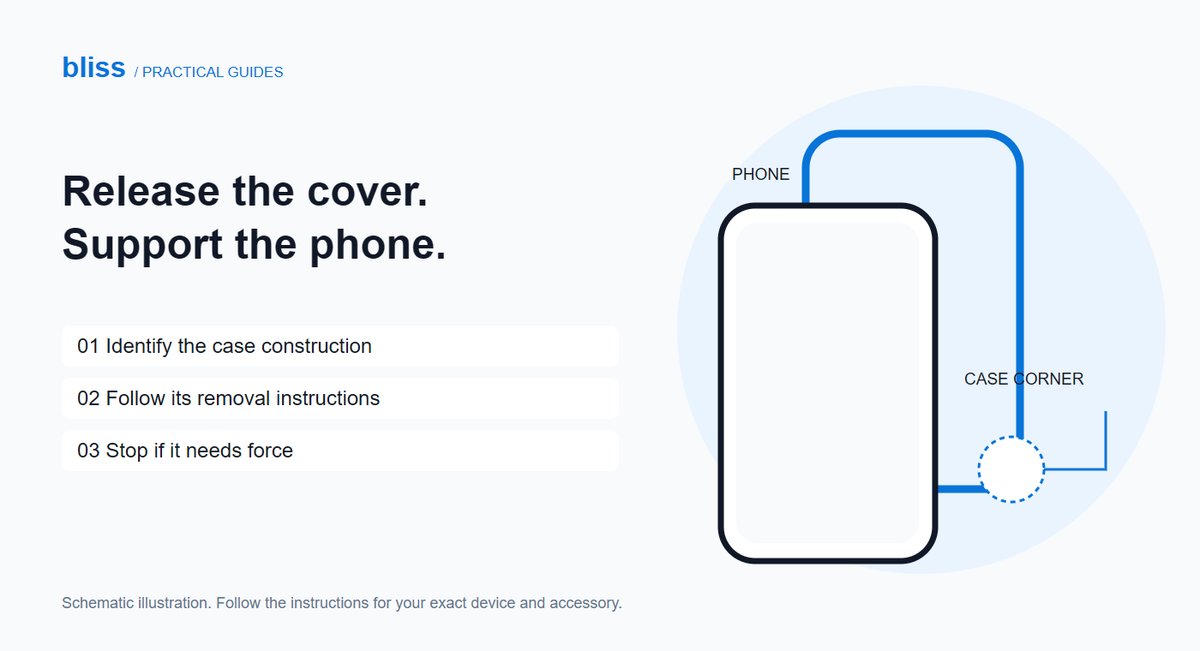
To remove a tight phone case, identify its construction first and follow the maker’s removal method. A flexible one-piece cover may peel away at a corner; a rigid or layered case may have clips that must be released in order. If it will not release with gentle handling, stop instead of twisting the phone or reaching for a metal tool.
A snug cover can feel reassuring until you need to swap it. The aim is to release the cover’s grip, not to make the phone bend enough to escape. Set aside a few quiet minutes and work over a clear table so you can support the device throughout.
What kind of phone case are you removing?
Look at the sides and the packaging before trying to pull a corner. Is it one flexible piece, a hard shell, or a frame with a separate outer layer? If it is a sealed, screw-fastened or folding-phone design, use its specific instructions. A method for an ordinary flexible cover is not a universal method.
| Construction | Starting point |
|---|---|
| Flexible one-piece cover | Check the maker’s recommended corner and peeling method. |
| Rigid snap-on shell | Locate the specified release points before applying pressure. |
| Layered protective case | Identify the outer layer and inner-frame release sequence. |
| Sealed, screwed or adhesive-assisted design | Find the exact product instructions or ask the manufacturer. |
Unplug charging cables and remove loose detachable accessories that could catch. Empty wallet pockets before handling the case. Put a clean, soft cloth on the table, keeping grit and hard objects away from the area where you might set the phone down.
How do you remove an ordinary flexible cover?
OtterBox’s removal guide describes starting at a corner away from buttons and cameras, freeing that corner and working the cover away along the edges. Use that approach only for a suitable flexible cover and defer to the instructions for your exact product.
- Support the phone securely. Keep it close to the protected work surface rather than holding it high over the floor.
- Ease the case lip away at the recommended corner. Move the flexible cover; do not press hard into the display, camera glass or a button.
- Work gradually along the edge. Keep the released corner clear while supporting the rest of the phone.
- Lift the phone free once the cover has released. Do not let it spring or slide out unexpectedly.
If the lip does not move with gentle finger pressure, reassess the construction and fit. Avoid adding heat, lubricant or improvised tools as a general fix. A decorated case may also have rigid pieces even when some of its edges feel soft.
What changes with a hard or layered case?
OtterBox distinguishes multi-part cases from ordinary shells and describes removing an outer layer before separating an interlocking frame on its Defender example. That sequence illustrates why pulling harder on the outside is not always the answer. Your own case may have a different release order.
Find the exact model’s diagram or installation video. Work out which line is a case seam and which is the phone’s own edge before touching a clip. Do not insert a blade, key or screwdriver between the display and the phone body. If a supplied opening tool is required, use it only at the locations and in the way the maker specifies.
When asking a seller for help, send a clear photograph of the cover’s back and edges and its product name. Ask for the removal instructions for that exact variant. “Hard iPhone cover” is often not specific enough to identify the release method.
When should you stop trying?
Stop if you notice the phone flexing, glass lifting, cracks spreading or a case clip that seems about to snap. A suddenly tight cover combined with a separating screen or back is a reason to seek device support, not to squeeze everything flat. Apple’s safety guidance says to discontinue use when device or battery damage is suspected and leave servicing to a trained technician.
For an otherwise intact phone, a seller familiar with the case may be able to demonstrate removal. Explain what you already tried rather than handing over a phone with an unexplained stuck clip.
What should you do once the case is off?
Check the empty cover for torn corners, broken clips or distorted edges before reusing it. Do not force a damaged cover back on because it still looks acceptable from the rear. If your reason for removal was cleaning, use the separate clear and decorated case-care guide; cleaning advice depends on materials and attachments.
If you regularly change covers, make easy removal part of your next buying checklist. Browse Bliss phone covers by your exact model and ask about the construction and fitting method before ordering. A cover should suit your routine as well as your preferred design.
Frequently asked questions
Should I pull on the ring holder to remove the case?
No. Use the maker’s release method and hold the case itself. A holder, charm or decorative attachment is not a designated removal handle.
Is every tight case the wrong size?
No. Some fitted cases are deliberately snug. Check the model and release method; tightness alone cannot tell you whether it is a mismatch.
Can I use a knife if my fingernail will not fit?
Do not substitute a blade. Stop and obtain the product-specific instructions or help from the seller.
Source check: 3 November 2026. Prepared for Bliss with AI assistance. This is general handling guidance, not device-repair advice or a test of a particular Bliss cover. Illustration is schematic.
Keep exploring

USB-C Headphones Not Working? Check the Adapter and DAC
Troubleshoot USB-C headphones with compatibility checks, DAC adapter guidance and simple comparisons before replacing your headset or adapter.
Read the guide
Privacy vs Clear Screen Protector: Which Should You Choose?
Compare privacy and clear screen protectors, viewing angles, brightness and unlocking compatibility. Use a practical checklist before buying.
Read the guide
How Many Charges Does a 10,000mAh Power Bank Give?
Understand power-bank capacity with a clear Wh calculation. Compare 10,000mAh and 20,000mAh examples, charging losses and your daily needs.
Read the guide