
Bliss Guides
iPhone Camera Blurry? Check Your Case and Lens Protector
Blurry iPhone photos after adding a case or lens protector? Try a simple comparison, check camera openings and learn when to contact support.
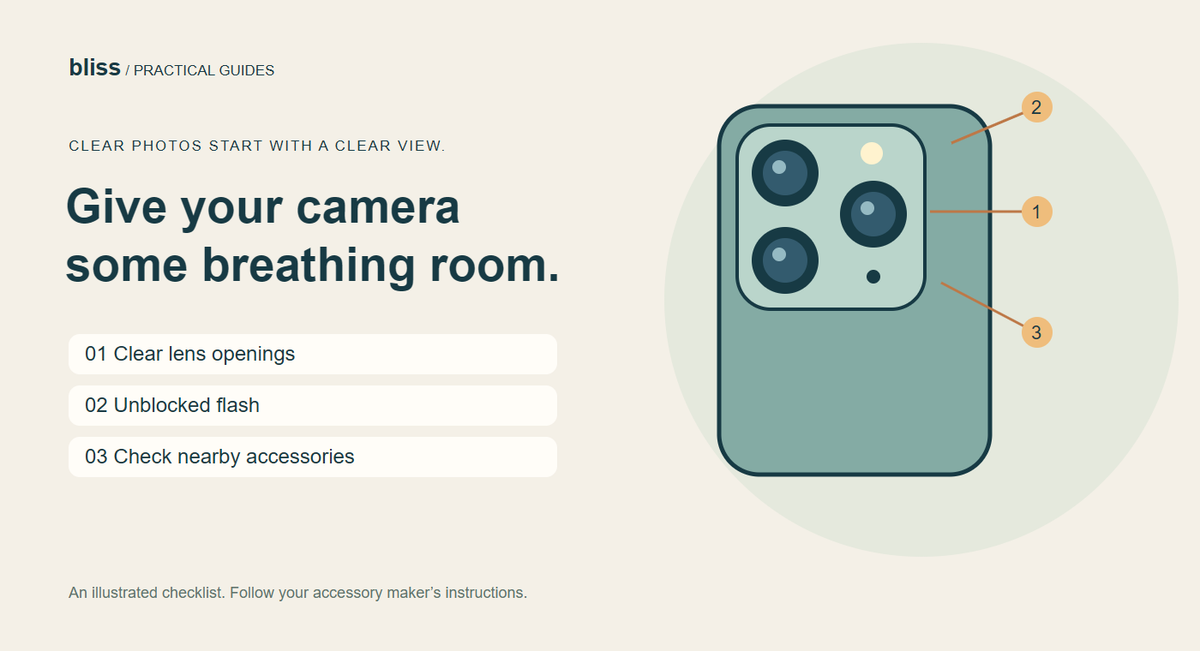
If your iPhone photos turned blurry after you added a case or camera accessory, test the camera without that accessory first. Check for an obstructed lens or flash, wipe the camera glass with a clean microfibre cloth, and take a comparison photo in the same conditions. If the problem remains, it may need software troubleshooting or service.
A cloudy photo does not automatically mean you need a new phone—or a new case. The useful question is: what changed? A new lens cover, a different mount or a smudge can be easier to investigate than a long list of camera settings.
What should you check before changing camera settings?
Look at the camera area in good light. Is a case edge covering part of a lens? Is there shipping film still attached to an accessory? Does a separate lens protector look dirty, cracked or misaligned? Check the flash opening too.
Apple's camera troubleshooting guidance starts with removing potentially obstructing accessories, cleaning the lenses with a microfibre cloth and restarting the device. Follow the accessory maker's removal instructions. Do not pry off the phone's own camera glass or force a stuck adhesive protector.
Try this simple before-and-after photo check
Pick a stationary subject, such as a book on a table, in bright, even light. Keep the phone supported in your hand and use the normal Camera app. The point is to change one thing at a time, so the result tells you something.
- Take a photo with the current setup and note which camera or zoom option you used.
- Remove the case or detachable accessory you suspect. If an adhesive lens cover needs specialist removal, leave that step to the installer.
- Clean the exposed camera glass gently and take another photo from the same place, using the same setting.
- Compare the saved photos, especially the same text or detail. Do not compare one image taken in daylight with another taken in a dark room.
- If you are comfortable doing so, refit only the removable case and repeat. A problem that consistently returns with one accessory is useful information for the seller.
This is a troubleshooting comparison, not a laboratory optical test. It can help you describe the problem accurately: “the haze appears with this cover fitted” is more useful than “my camera looks bad.” Save both images if you need support.
Can a magnetic accessory affect iPhone focus?
Yes, some can. Apple explains that strong magnets or magnetisable metal close to the rear cameras can interfere with optical image stabilisation and closed-loop autofocus on supported iPhone models. Its magnetic-accessory guidance recommends avoiding those materials near the rear cameras.
That is a placement and accessory-design issue; it does not establish that every magnetic case causes blurry photos. If the problem started with a magnetic lens mount or another attachment near the camera, remove that item and compare. Do not diagnose camera compatibility from a printed ring on the back of a case.
For the separate question of charging magnets versus physical finger rings, see our MagSafe and ring-holder guide.
A raised camera rim and a lens protector are different things
A case rim sits around the camera area. An add-on lens protector places another layer over the camera glass. One product may have the first without including the second. Before ordering, ask what is actually in the box.
| Check | Question to ask |
|---|---|
| Exact model | Is this the Pro or Pro Max version for my generation? |
| Camera opening | Are all lenses, the flash and other camera-area components clear? |
| Included parts | Is there a separate adhesive lens cover, or only a raised rim? |
| Existing accessories | Will my current lens protector fit inside the opening without pressure? |
| Evidence | Does the seller have a compatibility statement, rather than only a promotional picture? |
Bliss has separate iPhone 17 Pro and iPhone 17 Pro Max cover collections. Choose the exact model, then check the camera opening in the listing. We do not claim that a decorative camera surround improves photo quality or fixes a camera fault.
What if photos are still blurry without the case?
Apple recommends updating iOS and checking the front and rear cameras. If one keeps failing after the basic checks, contact Apple or a qualified service provider. Mention any recent impact or moisture exposure. Buying another accessory is not a substitute for diagnosing a persistent fault.
Common questions
Do all camera lens protectors ruin photos?
No universal verdict is justified. Judge the specific protector and installation. If a problem began after fitting one, compare safely without it or ask the installer for help.
Should I reset all my settings first?
Start with the reversible physical checks above and the phone maker's troubleshooting steps. A full settings reset is not needed just to find out whether a case is obstructing the camera.
Can Bliss guarantee a case will fix blurry photos?
No. A correctly fitted case should leave the camera area usable, but blur can have causes unrelated to the case.
Prepared by Bliss with AI assistance; sources checked on 30 October 2026. This is a troubleshooting guide, not a repair diagnosis or a hands-on optical test. The illustration shows inspection points, not a measured result.
Keep exploring

USB-C Headphones Not Working? Check the Adapter and DAC
Troubleshoot USB-C headphones with compatibility checks, DAC adapter guidance and simple comparisons before replacing your headset or adapter.
Read the guide
How to Remove a Tight Phone Case Without Forcing It
Learn how to approach a tight phone case, distinguish flexible and layered designs, avoid forcing the phone and recognise when to stop.
Read the guide
Privacy vs Clear Screen Protector: Which Should You Choose?
Compare privacy and clear screen protectors, viewing angles, brightness and unlocking compatibility. Use a practical checklist before buying.
Read the guide
How Many Charges Does a 10,000mAh Power Bank Give?
Understand power-bank capacity with a clear Wh calculation. Compare 10,000mAh and 20,000mAh examples, charging losses and your daily needs.
Read the guide