
Bliss Guides
Phone Case Stickers, Laptop Skins or a Case: What to Choose
Personalise your phone or laptop thoughtfully. Compare stickers, fitted skins and removable cases, with application and removal checks.
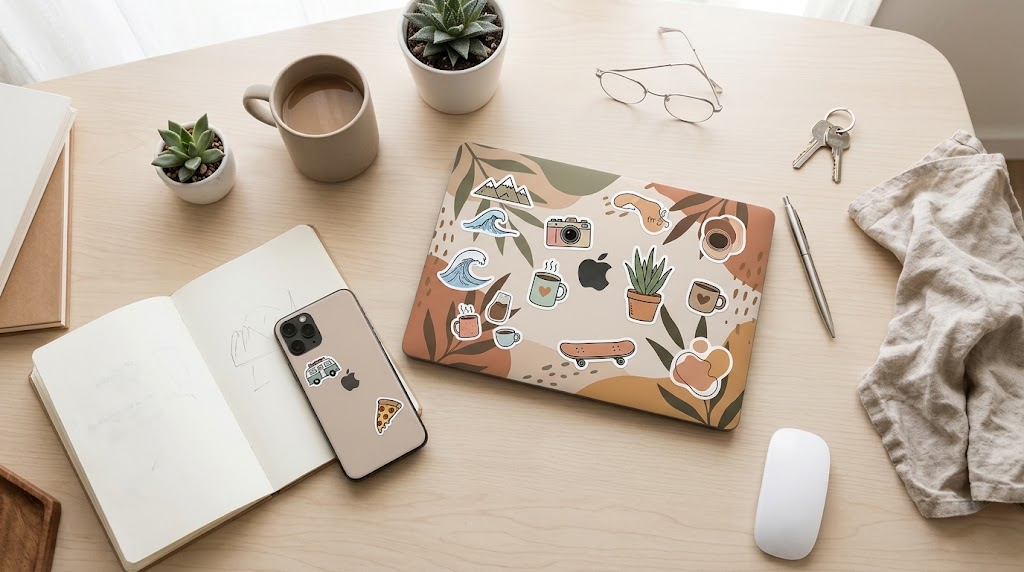
Phone case stickers, device skins and protective covers are three different ways to personalise your tech. Stickers add individual designs, a fitted skin changes a larger surface, and a case adds a separate shell. Choose according to the finish you want—and what you are willing to attach directly to your device.
Before choosing an aesthetic sticker pack for a laptop or phone, check the surface, adhesive and removal instructions. “Waterproof” and “residue-free” are product claims to verify, not features that every decorative sticker shares.
Stickers vs skins vs phone cases
| Option | Useful when you want | Main limitation |
|---|---|---|
| Individual stickers | A mix-and-match design you can arrange yourself | Adhesive and surface compatibility vary |
| Model-specific skin | A more continuous colour, texture or pattern | Requires careful alignment and the exact device version |
| Decorated removable case | Personalisation without applying adhesive to the phone itself | Adds the case’s bulk and still needs correct model fit |
A skin is not a substitute for tested impact protection. Decorative vinyl and an illustrated sticker do not make a device waterproof, and they do not establish a drop-protection rating. If protection matters more than changing the surface finish, start with a suitable case.
Where should you put phone case stickers?
A removable case can be a useful starting point if you do not want adhesive on the phone’s original finish. Before sticking anything down, arrange the design loosely and check camera openings, controls, charging connections and accessory attachment areas.
For a clear cover, some people prefer an insert that sits inside the case rather than a sticker applied to the phone. Only use an insert if the case still fits properly and the accessory maker permits it. Do not force a tight case over extra layers, and remove added decoration if it interferes with charging or attachment.
How to choose laptop stickers and skins
Check the laptop’s exact model and dimensions before buying a fitted skin. Similar-looking lids can have different curves, camera areas or cutouts. For loose stickers, choose a layout that does not cover ventilation openings, ports, controls or any manufacturer-specified keep-clear areas.
If the laptop belongs to an employer or school, ask before applying adhesive. The same applies to leased or shared equipment. A decoration that suits your own device may not suit a return or service requirement.
A careful application routine
- Read both sets of instructions. Check the device manufacturer’s cleaning advice and the sticker or skin maker’s surface requirements.
- Prepare the area. Shut down and disconnect the device when its cleaning instructions require it. Work on a clean, stable surface.
- Use the approved cleaning method. Do not spray liquid directly into a device or use an aggressive solvent simply because a sticker seller suggests it.
- Plan before peeling. Check alignment and openings first. Peel only as much backing as the application instructions recommend.
- Apply gently. Follow the maker’s method for smoothing; do not use sharp objects or excessive pressure on a screen or delicate panel.
- Recheck normal use. Confirm that the case fits, the laptop closes normally and charging accessories connect as intended.
Apple’s product-cleaning guidance advises avoiding moisture in openings and gives device-specific instructions. That is a useful reminder not to treat every surface like a washable sticker sheet. Follow the corresponding guidance for non-Apple devices too.
Removing stickers: avoid a guaranteed “no residue” promise
Adhesive behaviour depends on the product and surface. Read the stated removal method before purchase, especially if you plan to change designs frequently. Stop if lifting the sticker appears to damage the finish; do not scrape harder or apply unapproved heat or chemicals.
For an easy style change, a distinctive removable case may be a better fit than a full-device skin. Browse our Phone Covers collection or see the grey-and-orange Statement Dollar Case for iPhone 17 Pro Max. Its appearance offers a different route to personalisation without claiming that it is a sticker, skin or genuine leather product.
Frequently asked questions
Are all vinyl stickers waterproof?
No universal claim is appropriate. Check the stated material, printing, adhesive and intended conditions. A water-resistant decoration does not make the device beneath it waterproof.
Can I put a phone skin under a case?
Only if both products’ instructions permit it and the case still fits without force. Check charging and accessory compatibility as well as physical fit.
Does Bliss currently sell every sticker or skin in the picture?
No. The image is illustrative, not a stock list. Ask us about current personalisation options before ordering.
Still choosing a protective shell? Our phone case materials guide explains what to check.
Keep exploring

USB-C Headphones Not Working? Check the Adapter and DAC
Troubleshoot USB-C headphones with compatibility checks, DAC adapter guidance and simple comparisons before replacing your headset or adapter.
Read the guide
How to Remove a Tight Phone Case Without Forcing It
Learn how to approach a tight phone case, distinguish flexible and layered designs, avoid forcing the phone and recognise when to stop.
Read the guide
Privacy vs Clear Screen Protector: Which Should You Choose?
Compare privacy and clear screen protectors, viewing angles, brightness and unlocking compatibility. Use a practical checklist before buying.
Read the guide
How Many Charges Does a 10,000mAh Power Bank Give?
Understand power-bank capacity with a clear Wh calculation. Compare 10,000mAh and 20,000mAh examples, charging losses and your daily needs.
Read the guide